

How do I download course files in alternate formats from Canvas
Steps to download files from Canvas is accessible and alternate formats
Click on the Alternative Formats menu located to the right of the file posted in Canvas
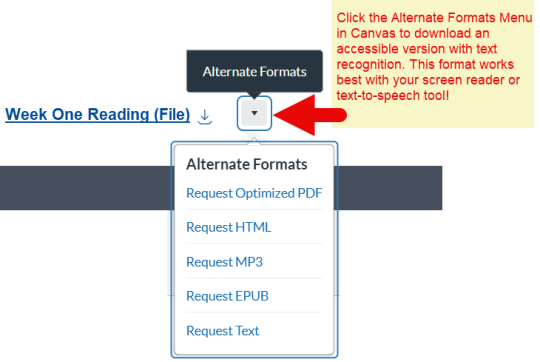
- Select your preferred alternate format, options available:
- Optimized PDF, provides a PDF with text recognition to use with screen readers and text-to-speech apps
- MP3 version for listening
- HTML to view in a web browser or mobile device
- ePub for reading as an e-book on an iPad and other e-book readers
Text, provides a simple text only version of the file
- Download the alternate format file and open it with assistive technology or app.